Topics for businesses
Your QR code
The code guests scan to review you or learn more, with printouts ready to use.
Get your QR code
On your dashboard, open QR code. The code opens a page where guests can leave a review, see your full listing and learn about Painted Circle.
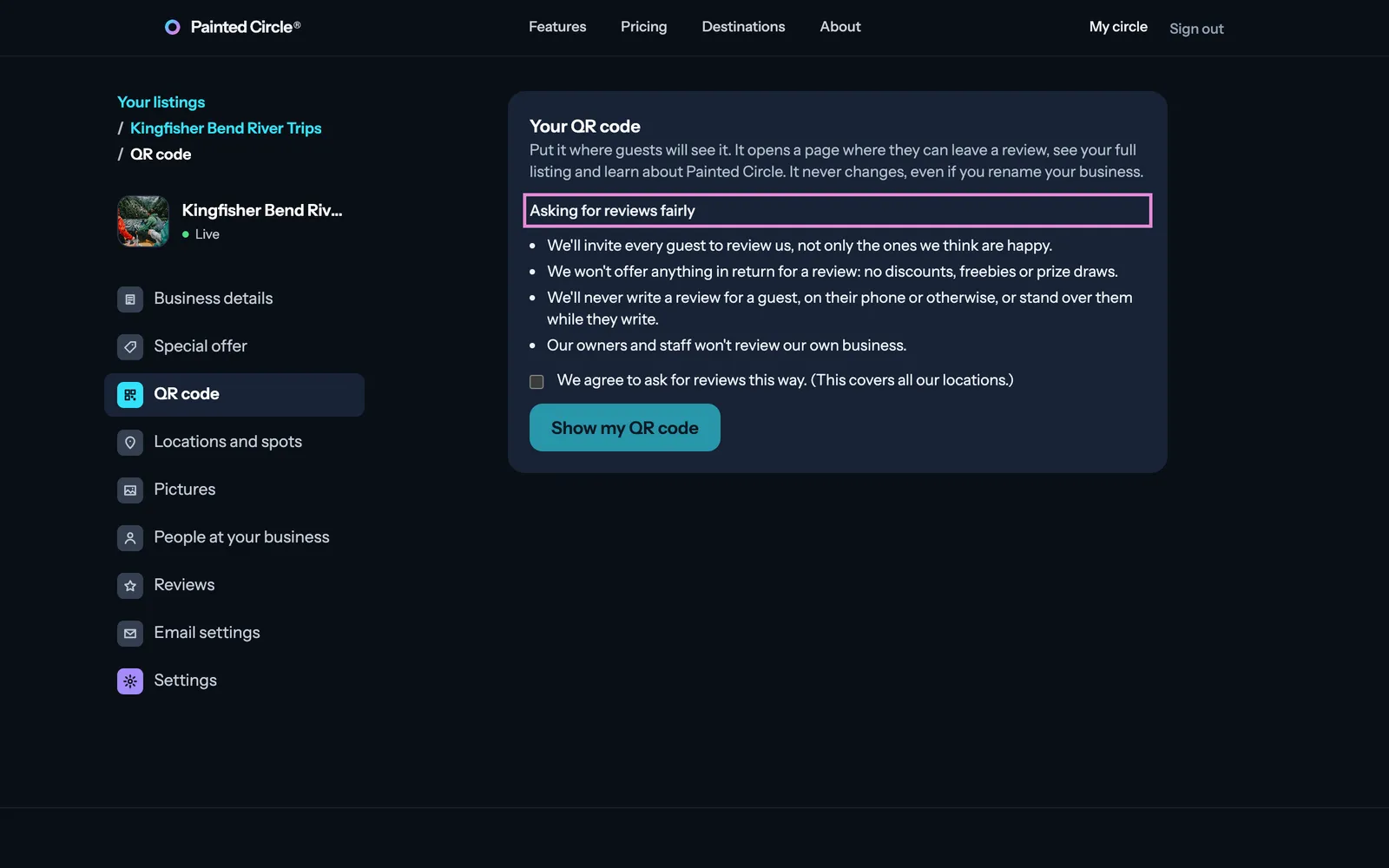
1Read Asking for reviews fairly, tick that you agree, and press Show my QR code.
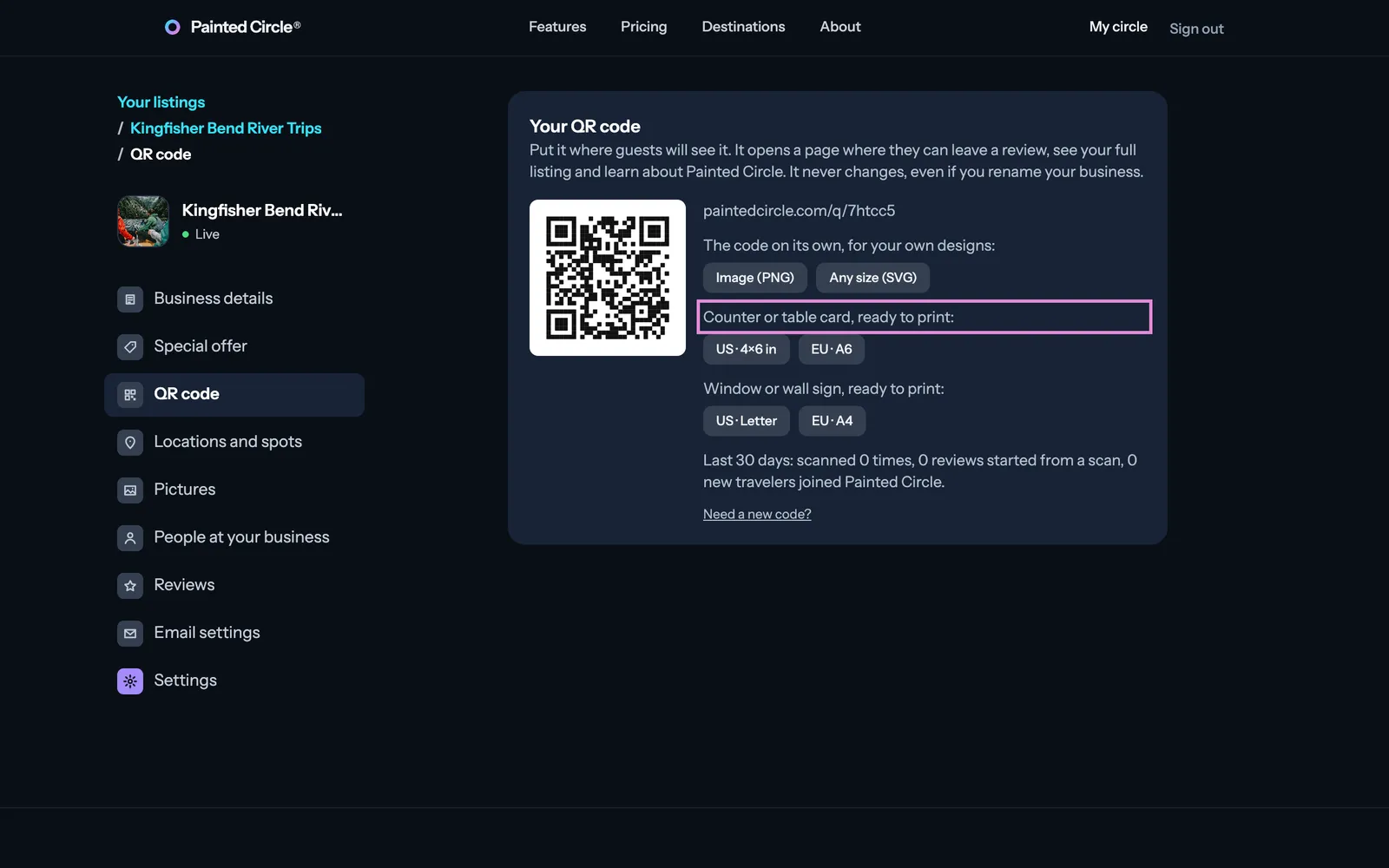
2Download the code on its own (PNG or SVG) for your own designs, or a counter card or window sign ready to print, in US or EU sizes.


More detail
- Asking fairly: invite every guest to review you, not only the happy ones; don't offer anything in return for a review; never write a review for a guest or stand over them while they write; owners and staff don't review their own business.
- Your code never changes, even if you rename your business, so printed cards and signs keep working.
- The counter card fits US 4×6 in photo paper or A6; the window sign is US Letter or A4. Both print well at home.
- For a brand, the brand's code opens a page with all its locations.
The pictures show an example business. Still stuck? Email info@paintedcircle.com.