Topics for businesses
How setup works
Guided setup, skipping a step, and your setup checklist.
Guided setup
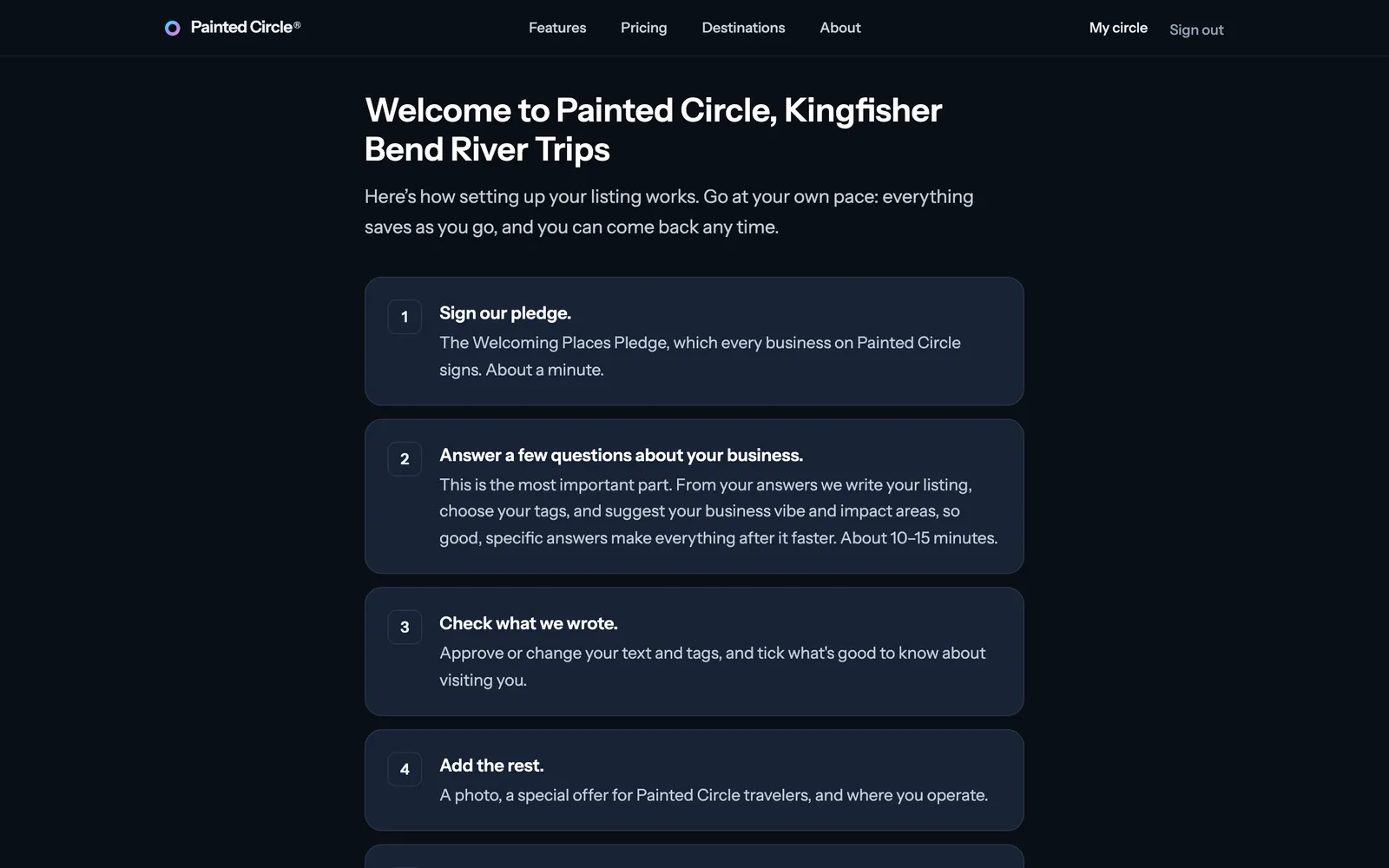
After you claim your listing, a welcome page shows the steps. Go at your own pace: everything saves as you go, and you can come back any time.
1The welcome page lists what's ahead: the pledge, the questions about your business, checking what we wrote, then the rest.
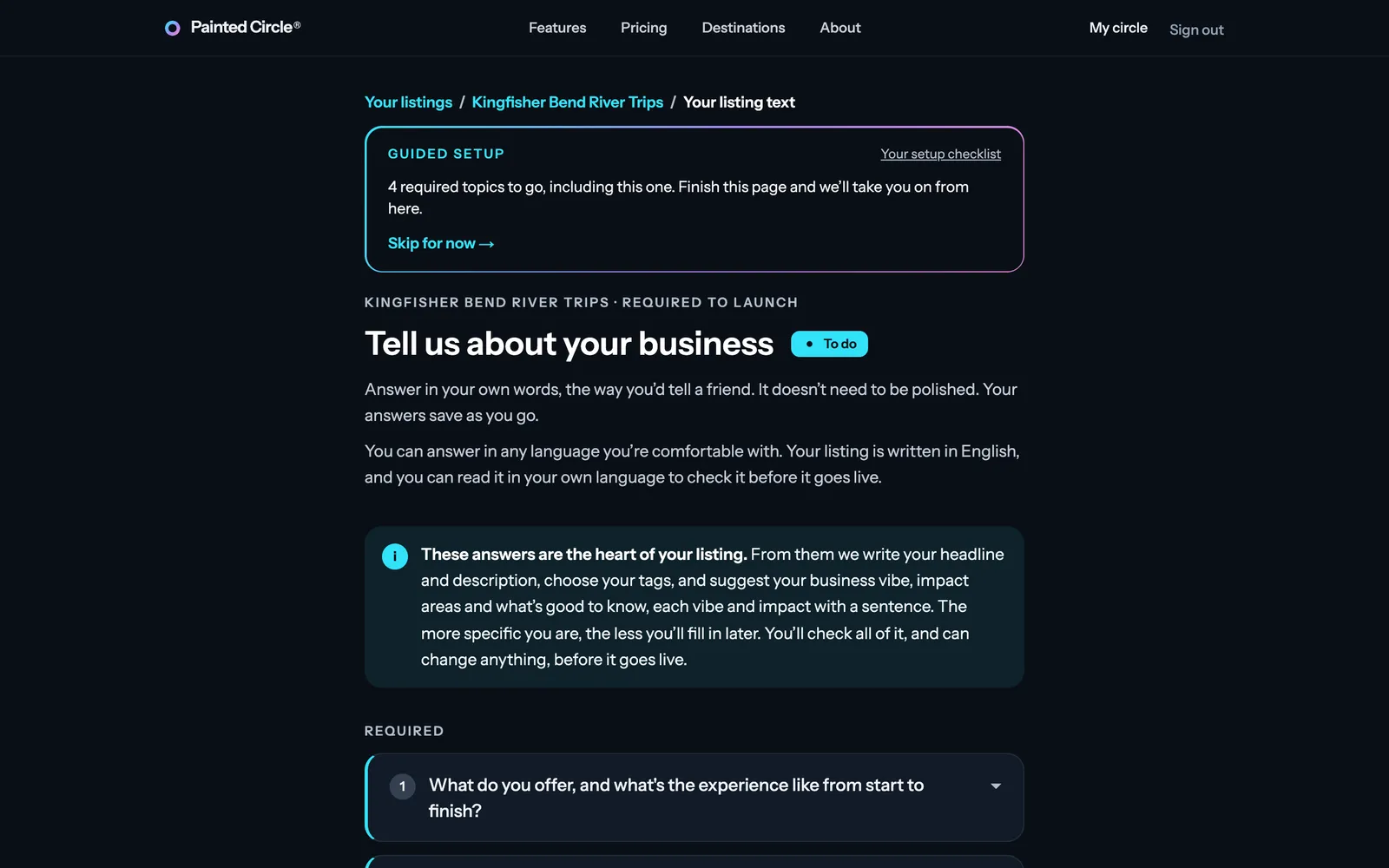
2Each setup page shows the Guided setup bar: how many required steps are left, and Skip for now to come back to a step later. Finishing a step takes you straight to the next one.


More detail
- Required to launch: the pledge, your listing text, your photo, your special offer, where you operate, and your categories. Recommended: the person behind it, and an authenticator app.
- You can stop at any point and come back: sign in and open your business from My circle.
Your setup checklist
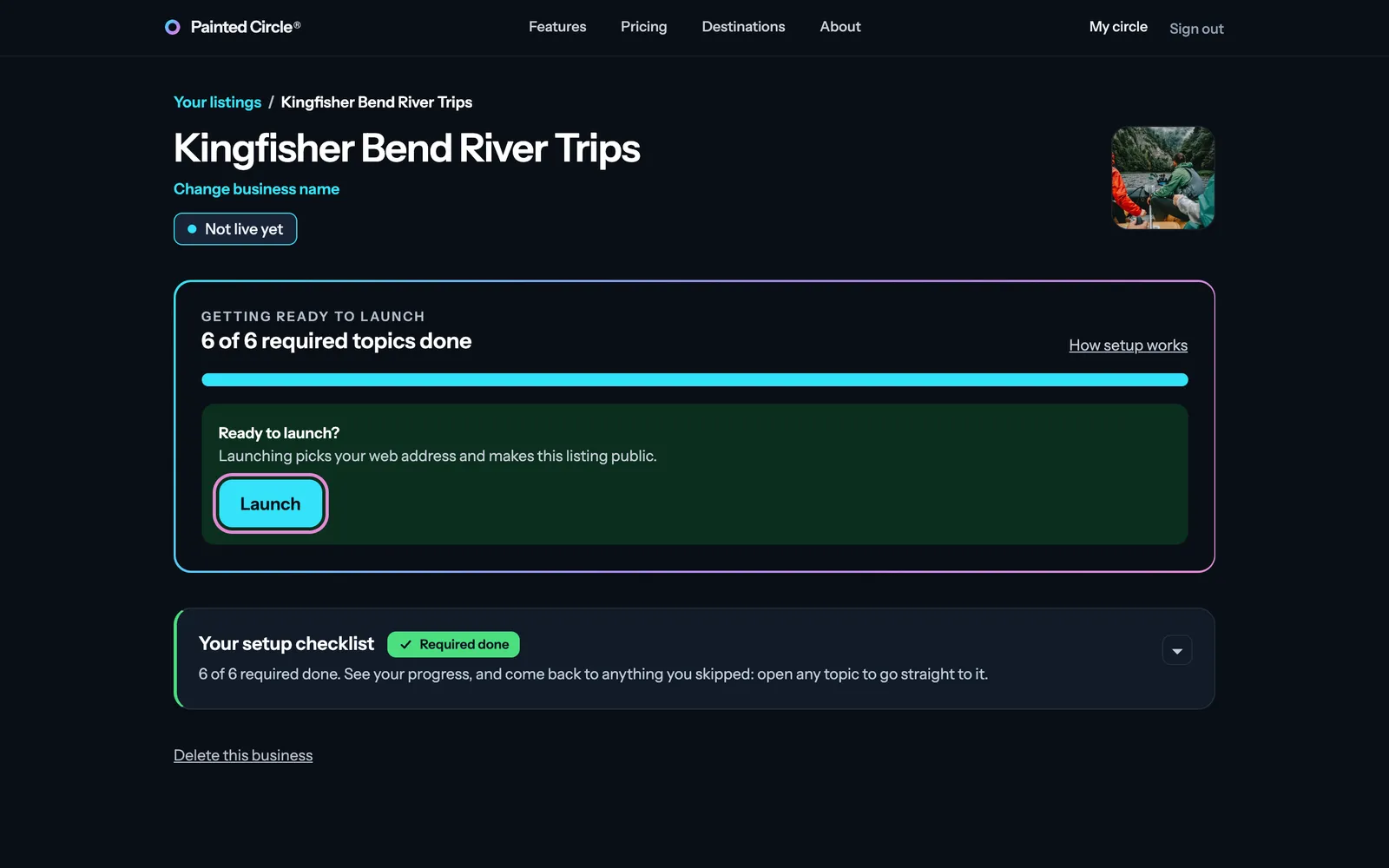
3Your dashboard shows how many required steps are done, and Your setup checklist: open it to see every step and go straight to any you skipped. When they're all done, you can launch.

The pictures show an example business. Still stuck? Email info@paintedcircle.com.