Topics for travelers
Edit or withdraw your review, and read replies
Your reviews and the businesses' replies, in My circle.
Your reviews
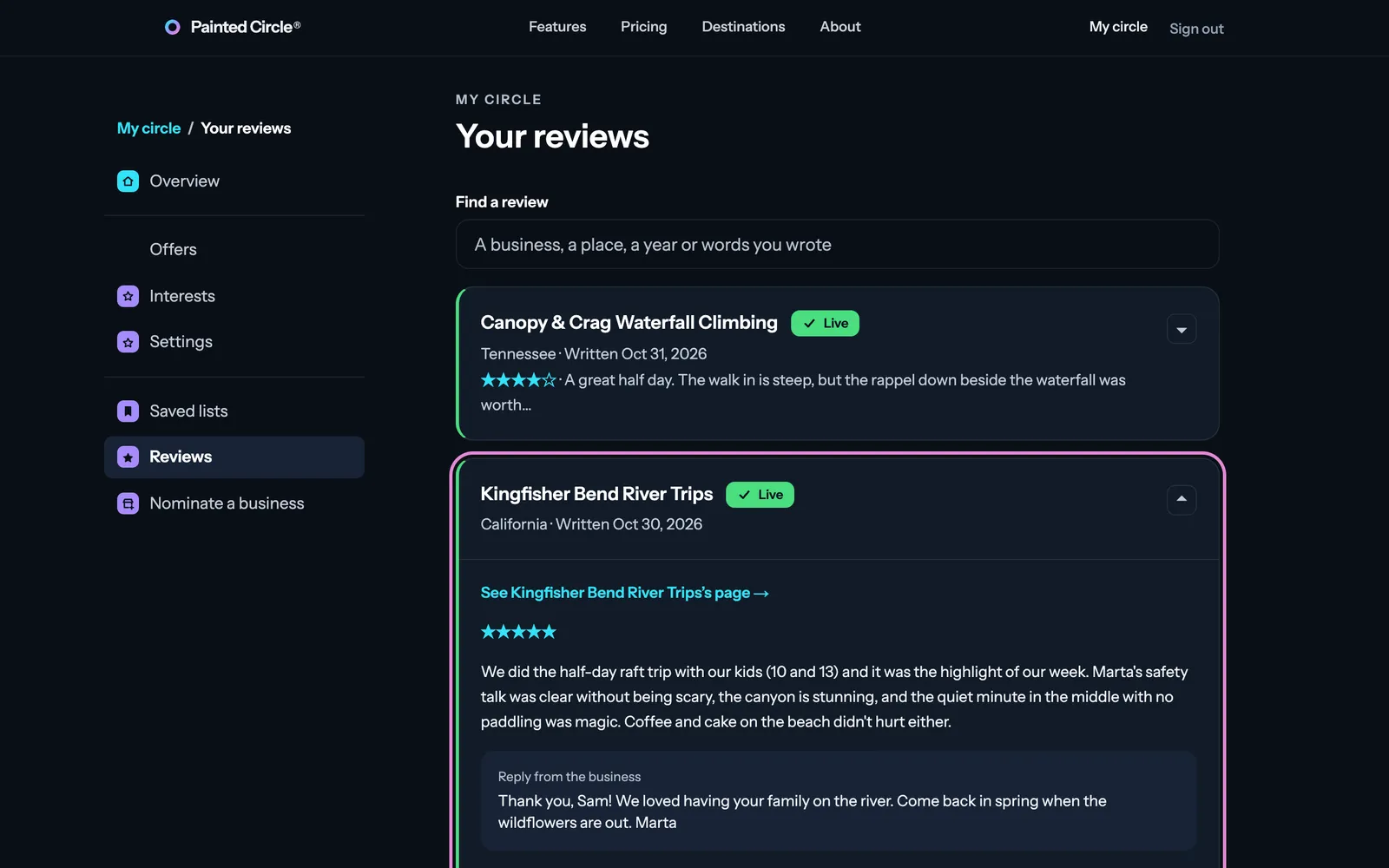
Open My circle, then Reviews, and open a review.
1You see your review and any reply from the business.
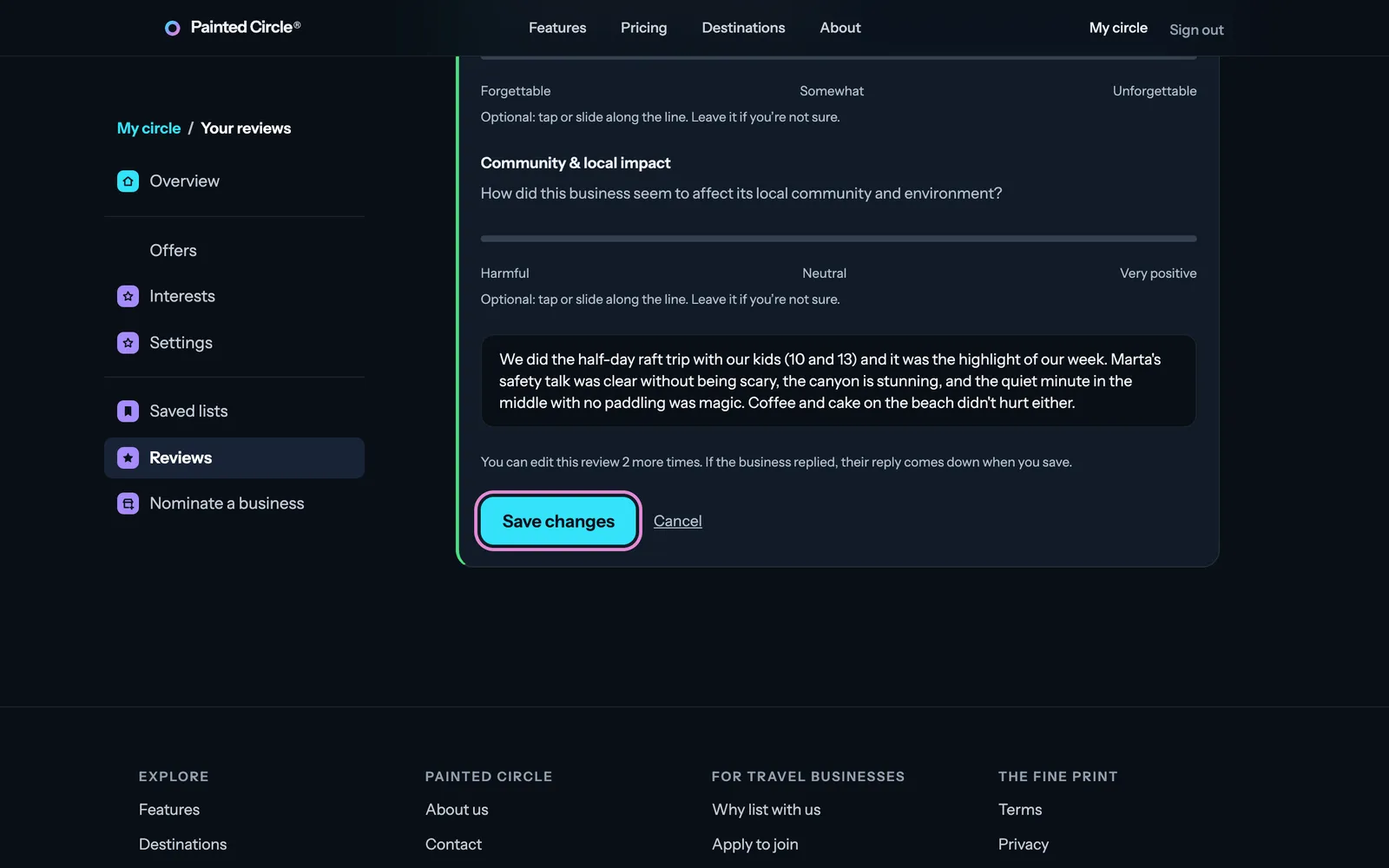
2Edit lets you change your stars, answers and words; press Save changes.
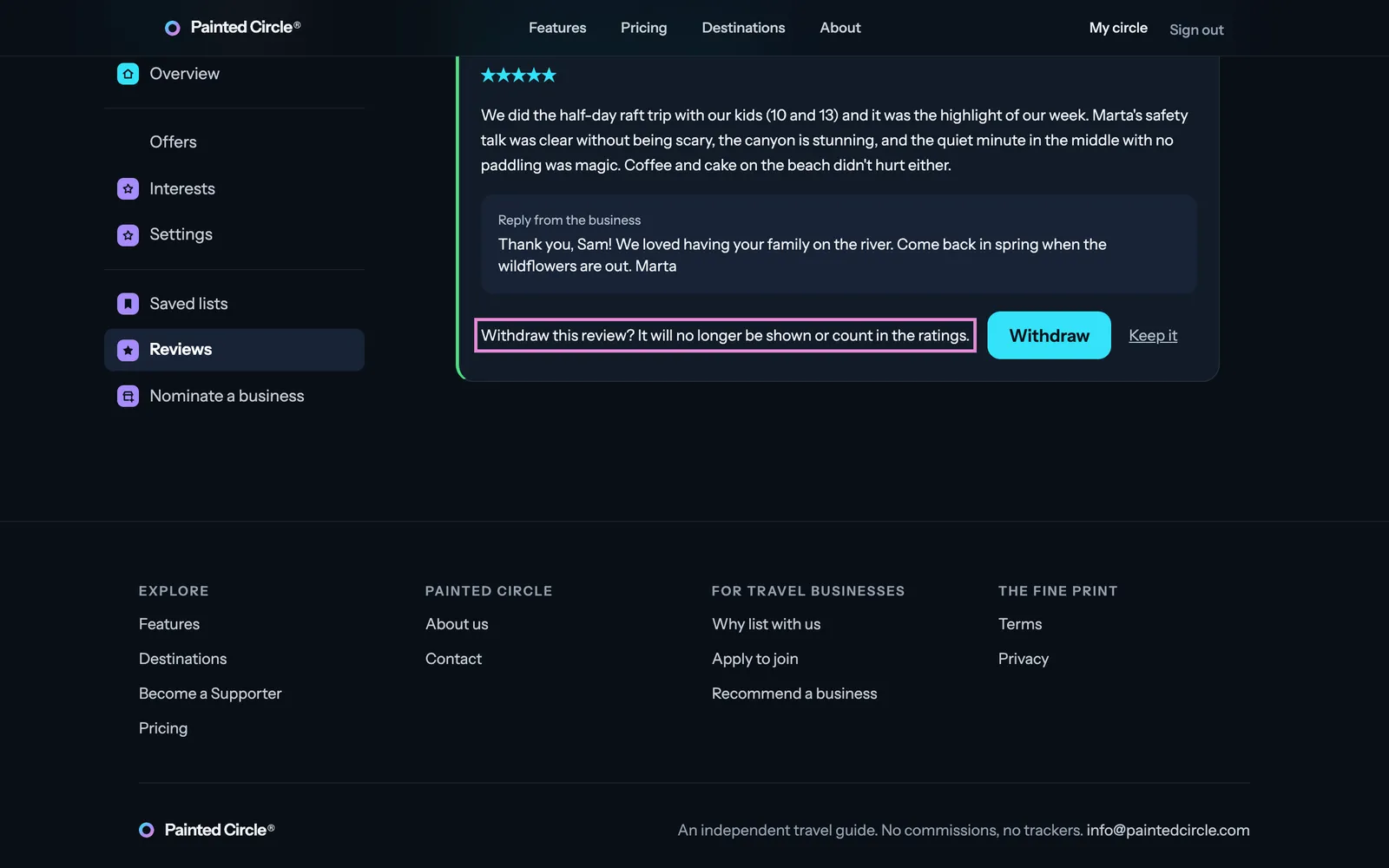
3Withdraw takes your review down: it no longer shows or counts in the ratings. Press Withdraw again to confirm, or Keep it.


More detail
- You can edit each review twice.
- If the business replied, their reply comes down when you save an edit.
- We email you when a business replies, unless you switched that off in Settings → Emails.
The pictures show an example business. Still stuck? Email info@paintedcircle.com.