Topics for travelers
Protect your account
Two-factor sign-in with an authenticator app, and backup codes.
Turn on two-factor sign-in
There are no passwords on Painted Circle, so whoever reads your email could sign in. An authenticator app (Google Authenticator, Authy, 1Password and others) adds a code only your phone has. Open My circle, then Settings, then Sign-in security.
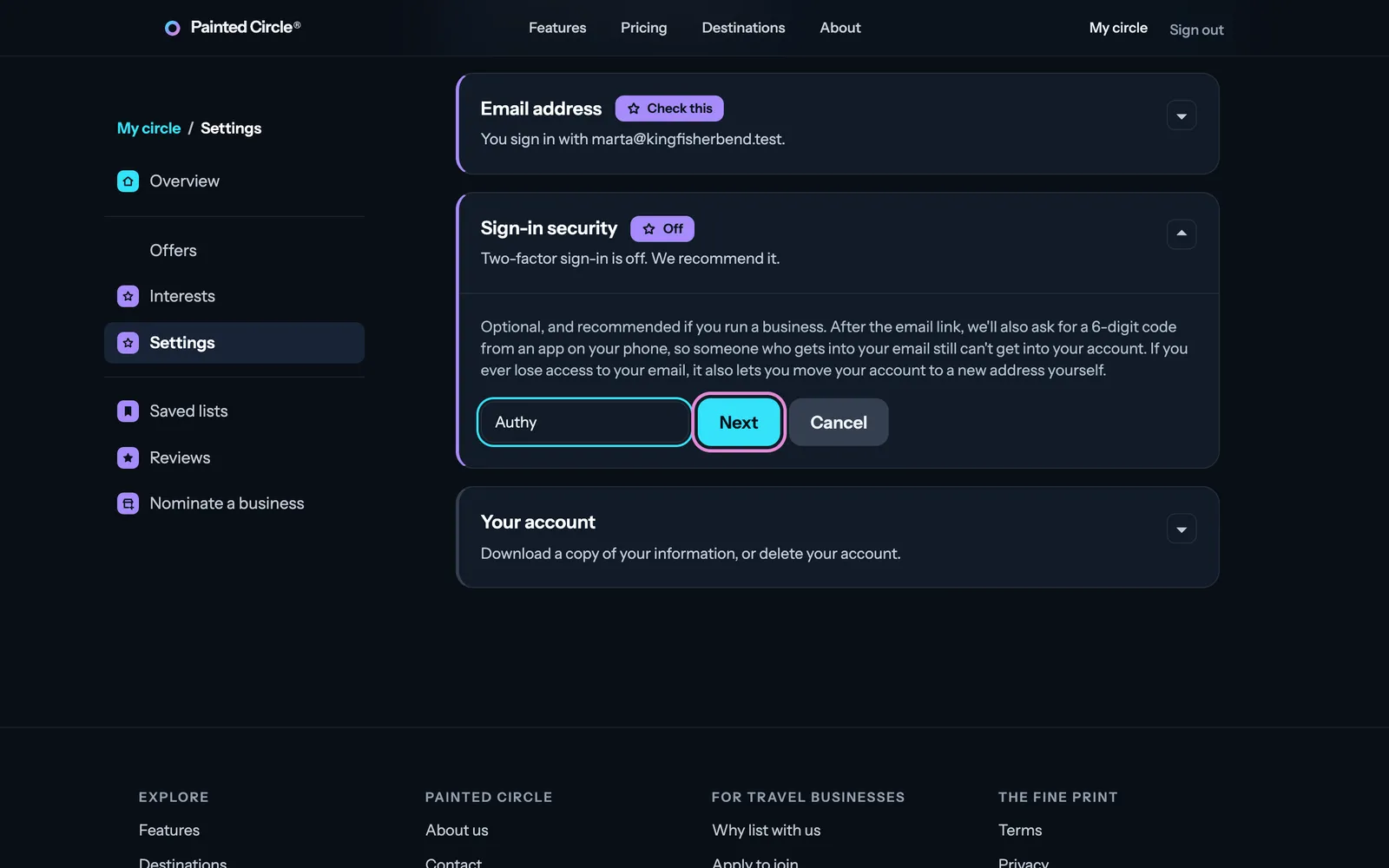
1Press Turn on two-factor sign-in, type which app you use, and press Next.
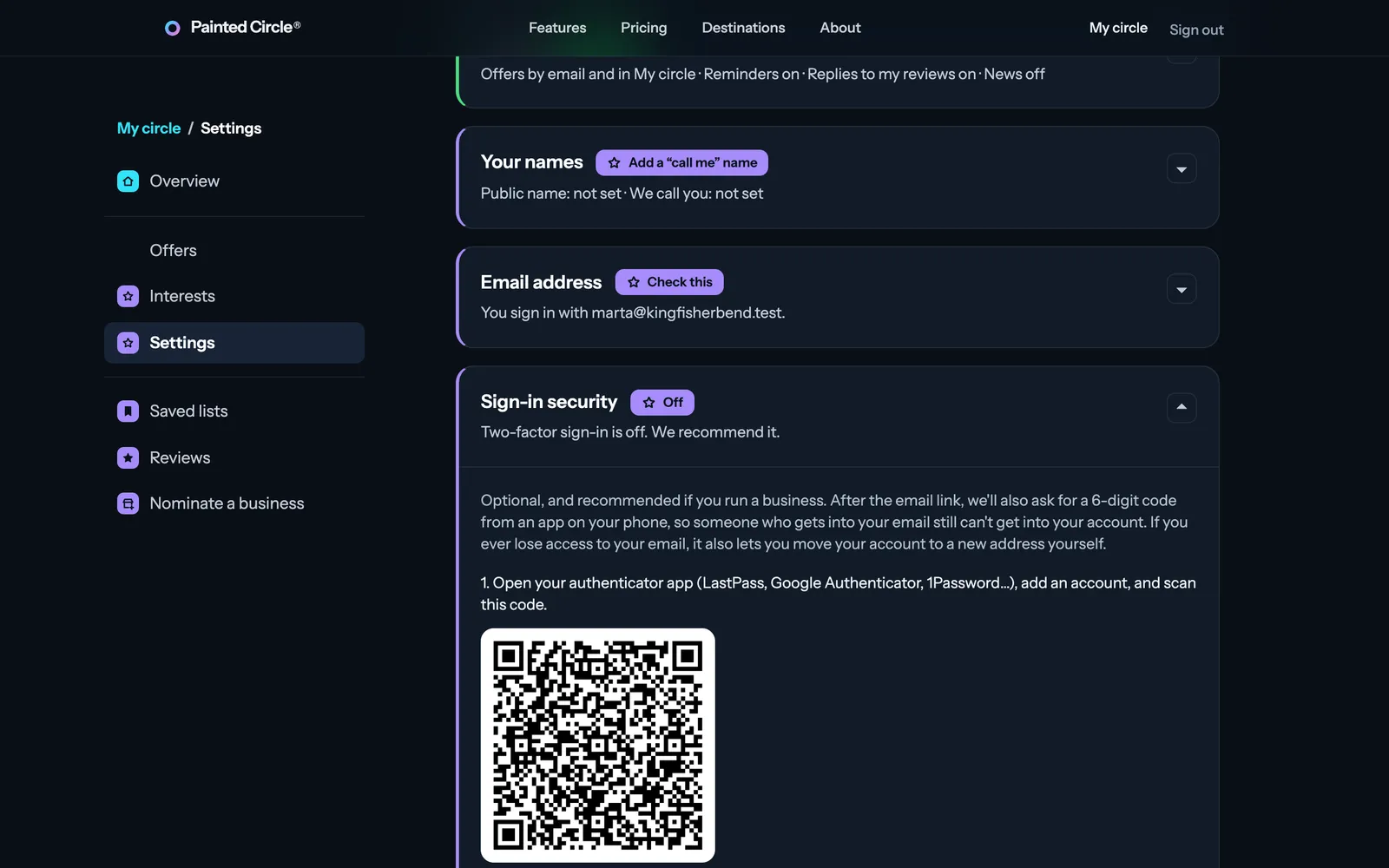
2Scan the QR code with your app (or type the key under it), type the 6-digit code it shows and press Confirm.
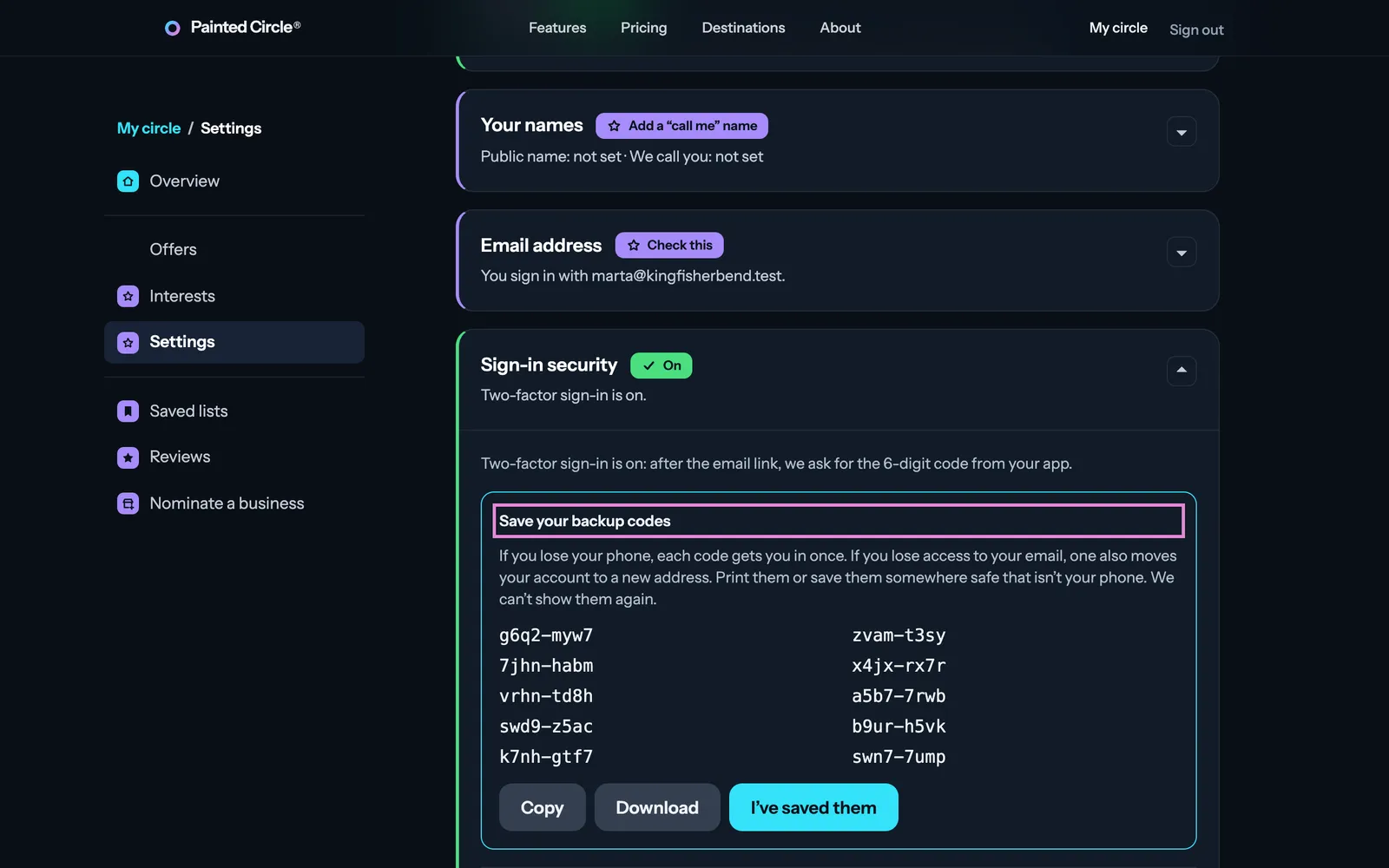
3Save your backup codes somewhere safe. Each one works once if you lose your phone.


More detail
- From then on, after the email link you also type the code your app shows.
- Changing phones? Add the new app before removing the old one.
The pictures show an example business. Still stuck? Email info@paintedcircle.com.